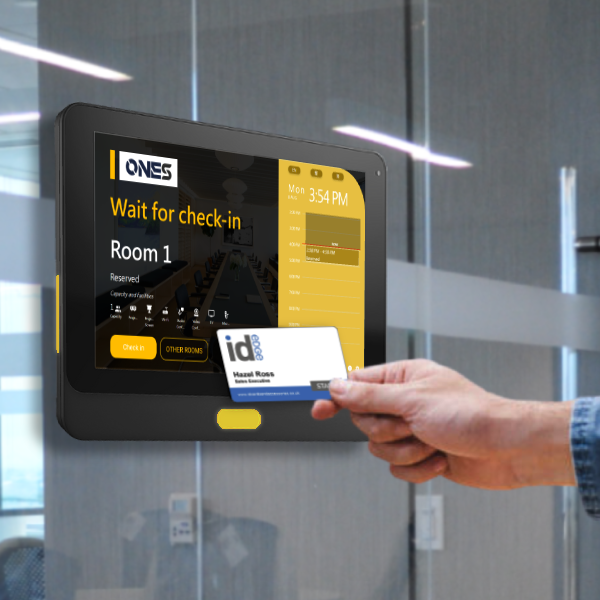
Meeting room display is the only best way to know if the room is occupied now.
How do you know whether your meeting room is occupied or not? By going in front of the room and peeking into it to see if anyone is in there? Or just knock on the door and walk into the room every time.
Workplace professional list outs the factors that affect your hotdesking strategy set-up.
Workplace professional list outs the factors that affect your hotdesking strategy set-up
Hotdesking schedules and management are the key points to make your smart office successful.
Hotdesking is a hot topic that frequently comes up in conversations with our clients as companies continue to determine their best approach for supporting hybrid work to save operational costs.
What does hot-desking mean?
Hotdesking simply means that to create workspaces that employees who come into the office for individual work can use as needed while they are present. Those spaces aren’t always reserved for specific people’s exclusive use, but they can be reserved for people to use on a regular basis.
Metrigy, an innovative research firm focusing on the rapidly changing areas of Unified Communications & Collaboration (UCC)/digital workplace, recently conducted a survey of 935 businesses in Europe, North America, Australia, and parts of Southeast Asia to determine how they approached hotdesking within their organizations.
They discovered a wide range of implementations in the following areas among the approximately one-quarter of organizations that have already implemented hotdesking.
Following are some tips that can help you to successfully set up your hotdesking strategy in the office.
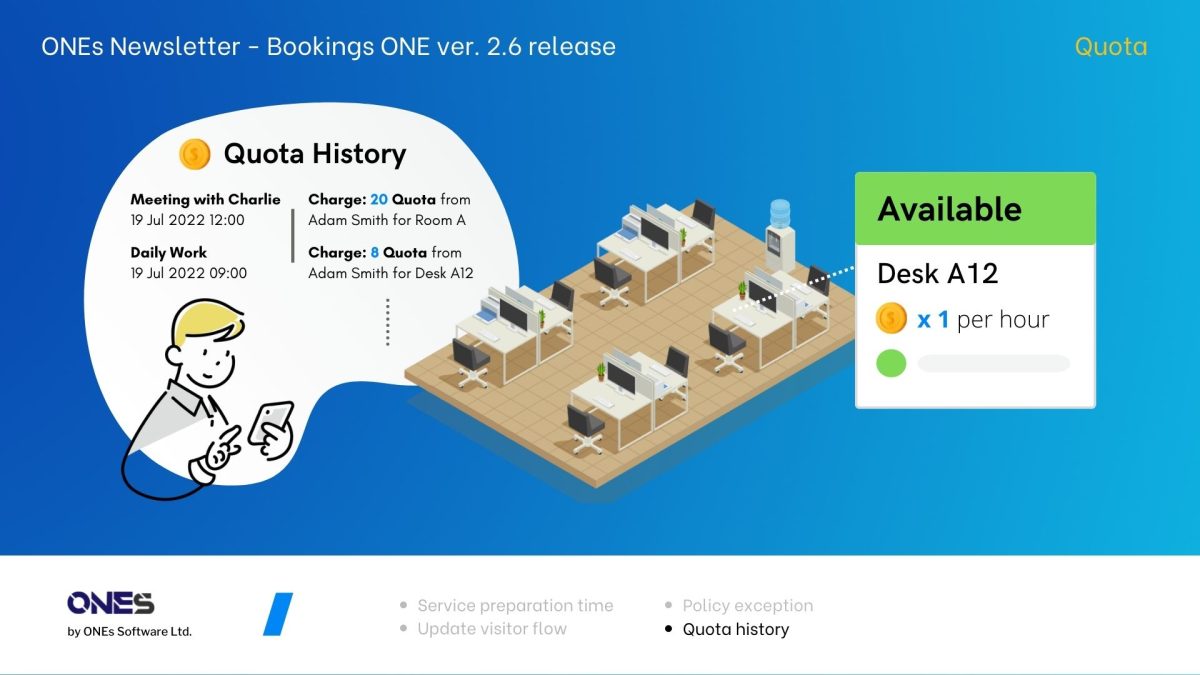
A quick review of quota usage of office resource by using quota history.
In version 2.6, the admins can now easily search the record of usage on the quota history page. They can filter by username, quota unit, resource (room or desk), period of booking time, etc., which can help the admin to filter out the data for auditing and resource usage revision.
An announcement of Bookings ONE version 2.6 release.
We proudly announce that our smart office platform Bookings ONE version 2.6 has been released on 23 July 2022. The followings are the major new update that we would like you to know:
Service preparation time
Update visitor flow– self-walk-in and SMS integration
Credit Suisse CEO Says We’ll Never Go Back to Office Full Time.
“It’s unrealistic and it is not what employees want”
Credit Suisse CEO Says We’ll Never Go Back to Office Full Time
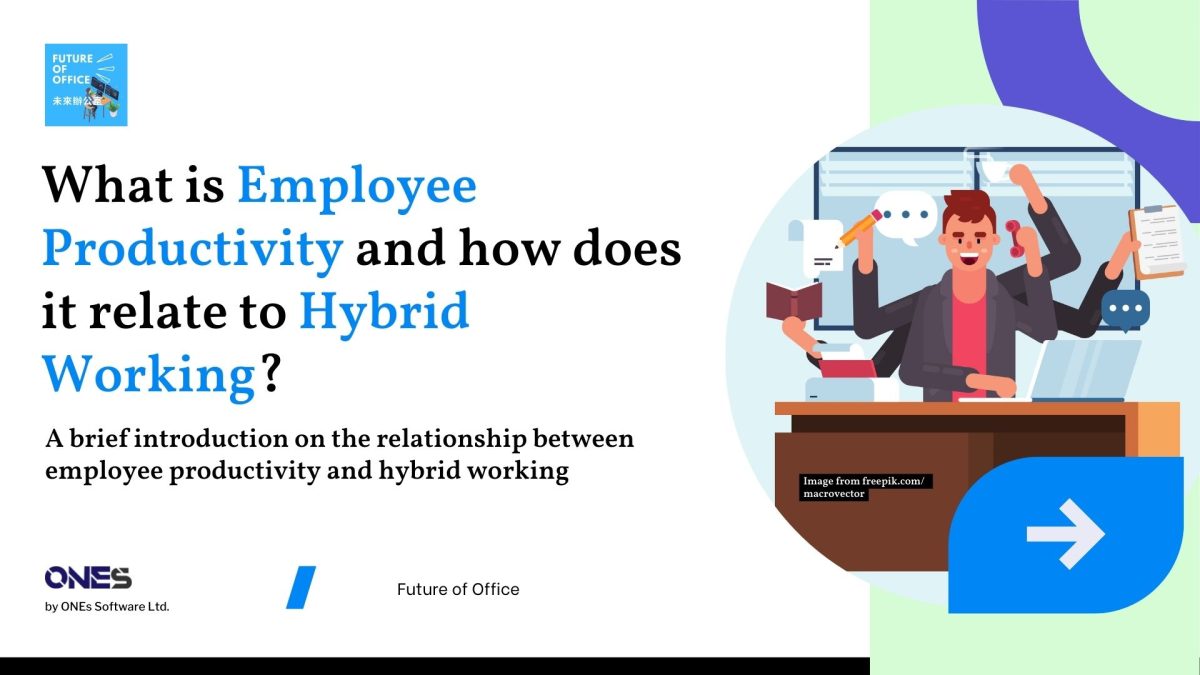
Survey discovered that employees who choose the most flexible work options were the most productive.
Swiss Universal Bank employees will be able to select a work model that provides them with maximum freedom, based on their field of activity.
According to Bloomberg, Credit Suisse Group AG Chief Executive Officer Thomas Gottstein doesn’t think banks will ever return to working full-time from the office.
“It’s unrealistic and it is not what employees want,” he said in an interview at the World Economic forum in Davos on Monday, 23rd May 2022. “We are in a soft way trying to encourage people to come back, but it’s counterproductive if you push too hard.”
Employers and workers will benefit from using workplace technology to enable a more flexible approach to work. However, technical concerns raised by the Information Technology (IT) team are usually overlooked when the new office plan is made and deployed.
Employers and workers will benefit from using workplace technology to enable a more flexible approach to work. However, technical concerns raised by the Information Technology (IT) team are usually overlooked when the new office plan is made and deployed.
After all, IT team is the one responsible for ensuring that any new solution is effectively integrated, integrates with other platforms, and remains operational with minimal disruption to company.
Followings are some common technical concerns that should be highlighted and we have solved for you:
All enterprises, big and small, wish to turn themselves into a smart office to fully utilize their resources. But, what is a smart office?
What is a smart office?
Smart office, based on leading-edge Internet technology that centralizes the control of crucial operations and services of an enterprise through data collection, creates a more advanced and people-oriented workplace under the collaborative workings of Internet technology.
While the enhanced user experience in smart office settings facilitates staff productivity and helps to attract and retain talents, businesses also enjoy savings in cost and a boost in brand values through a more flexible and efficient deployment of existing office space.
The application of electronic devices and tools, such as iBeacon, sensors, and mobile phone applications are typical in smart office settings, saving staff from routine office chores and increasing their focus on business activities. One of the key elements of a smart office is the adoption of the room booking system.
The room booking system allows users to identify the best suitable room for meetings and complete the booking in a few clicks independently of time and location with mobile apps supporting various platforms. Fast and easy room booking is available at your fingertips.
By providing a comprehensive range of room information and centralizing the scheduling of rooms on a common platform, the room booking system provides the know-how for better resource utilization for the management.
Room Booking Schedule
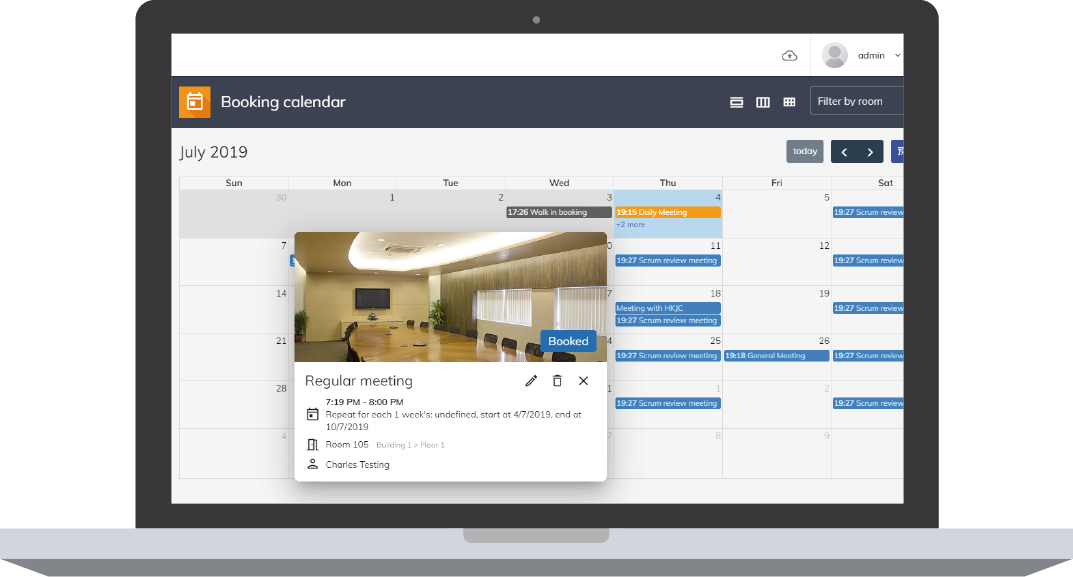
The basics of room booking system rooted in the booking schedule. Bookings ONE strives to create a concise and clear schedule presentation and support all operations in computers interfaces and mobile devices.
You can browse the latest schedule and manage room booking, wherever you happen to be, just a few clicks on your mobile phone.
Room Display
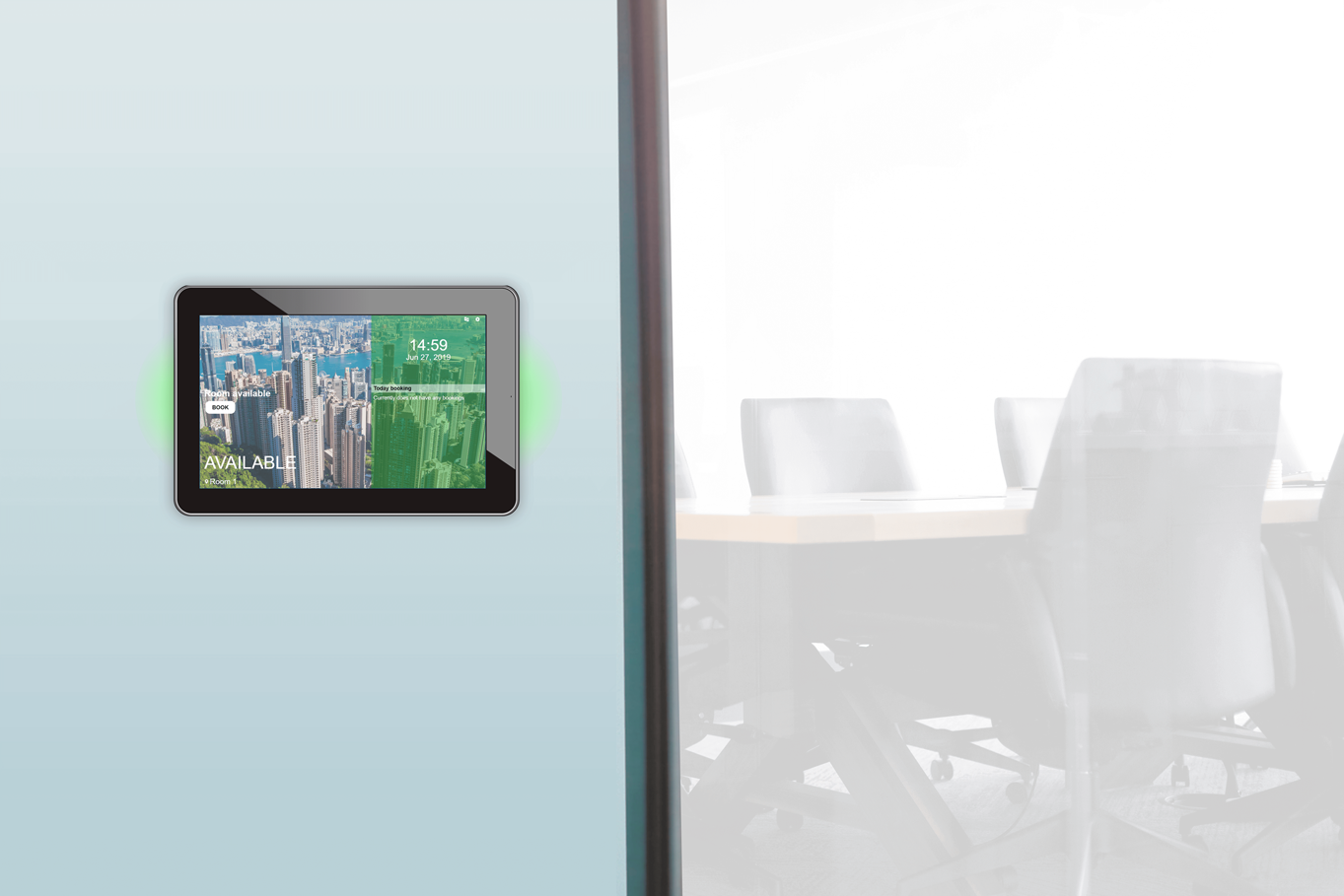
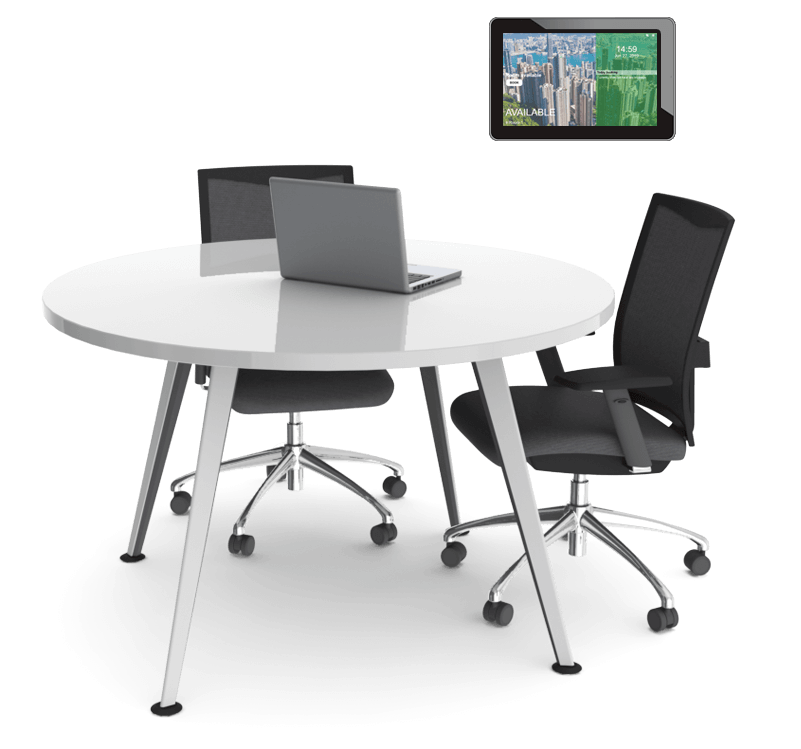
Display mounted outside the room shows clearly the current booking status and operating condition of the room, creating an energizing image for the company while gently reminding staff and guests of the meeting location.
The design of room display under Bookings ONE seamlessly supports tablet devices under various operation platforms, including iOS, Android and Windows. Users can make an instant booking simply by tapping on the display mounted outside the room.
Bookings ONE also supports display devices with LED indicators, which enables users to identify the status of rooms easily from a distance through color variation. The indicators included three colors: the green represents the room is available, orange represents reserved and red means currently being occupied.
When you have a sudden need for a meeting room, and are uncertain about which rooms have been booked already, the LED indicators will definitely brighten up your mind and show you the way.
3D Floor Plan
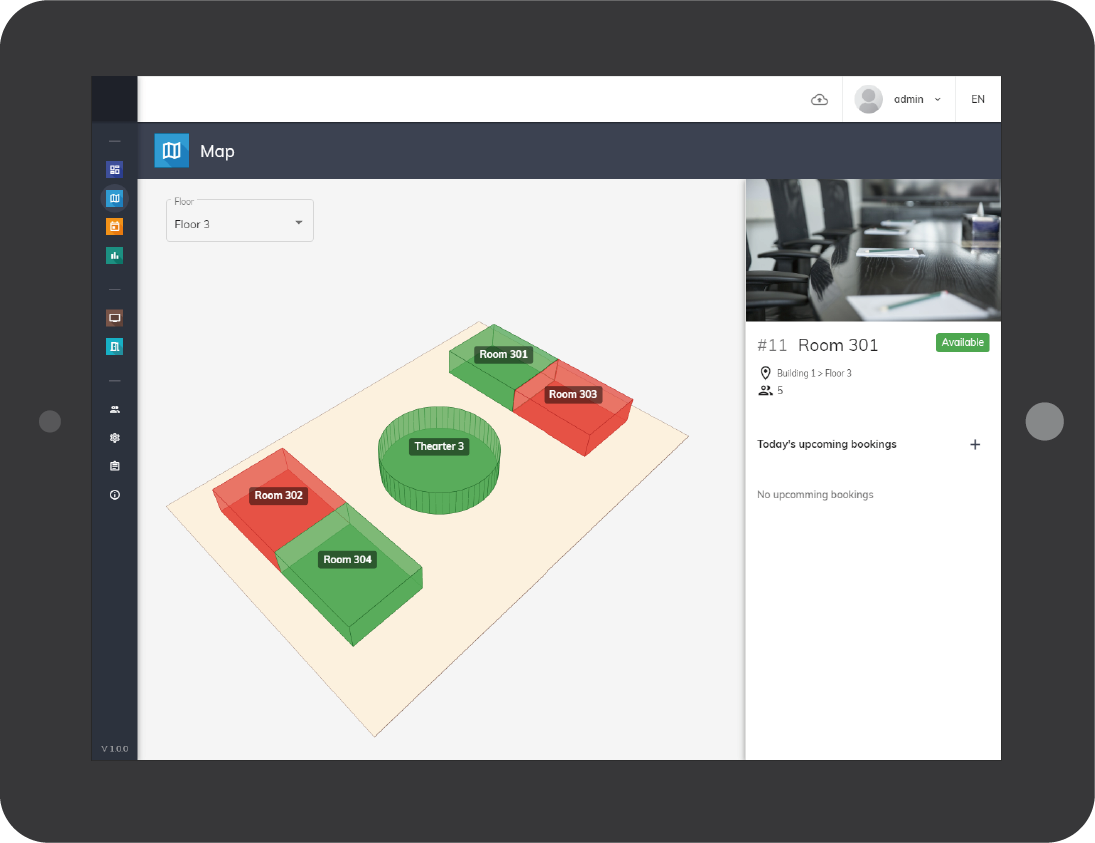
A well-designed interface of the booking system is essential in supporting the management to devise strategies for resources allocation. Considering that there are 50 conference rooms in a company, for most of the booking systems, the data of booking status and appointment details of the 50 rooms would be tabulated plainly on a list, providing you a comprehensive set of data.
However, extracting useful information from such a large volume of data could be both time-and-energy consuming, managers may be tricked into overlooking important information and even resulting in mismatch of resources.
That’s why Bookings ONE has additionally placed emphasis on the 3D floor plan of each floor, besides providing standard lists of data-set. We visualize all booking status on a map, you will be informed of dozens room status at a glance. Easily readable and understandable.
Real Time Analytics
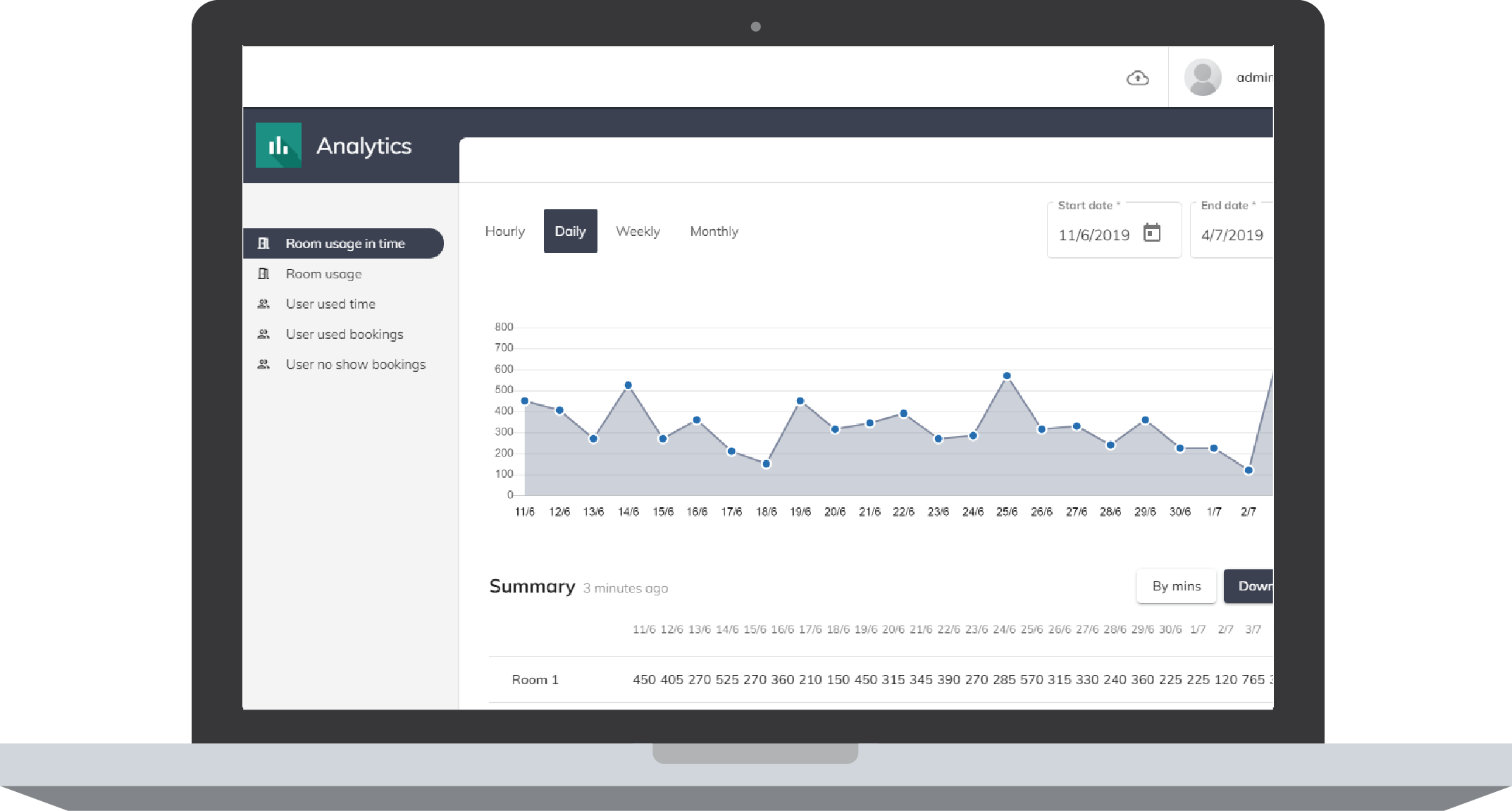
Another effective tool for the management to optimize resources utilization is real time data analytics. Cost of conference rooms, directly or indirectly, is expensive considering the spiraling rental cost.
In order for the management to utilize and allocate company resources efficiently, conference rooms in particular, Bookings ONE generates graphical analytics and reports that could be exported to Excel file to facilitate readability and better understanding on information such as utilization rate of rooms, the length of booking and absence rate to use a room of respective users at different times.
Calendar Integration
Using calendars of Google and Outlook to coordinate booking schedule has often been the norm in companies before the presence of room booking system. We understand that it takes time for users to adapt new booking technology and be familiar with a new interface before enjoying the benefits Bookings ONE offers.
Therefore, we devoted time in developing seamless integration with calendar systems including Google Calendar, Exchange server and Office 365 that are commonly used in the business sector, and succeeded in synchronizing bookings made through a third-party system into Bookings ONE simultaneously.
New users of Bookings ONE could continue to book through the calendars they are used to, while enjoying the features and benefits offered by Bookings ONE during the transitional period.
Angel in Details
We strive to offer the best user experience to our business partners while fulfilling the needs of both management and staff. Bookings ONE can upgrade corporate image and improve staff efficiency.
To find out more features and details of
Bookings ONE, contact us at: